Forgot your graphing calculator? Here's what to do.
Short version: for homework, classwork, and studying, install the Taculator 84 app — it works like the handheld you're used to and you'll be graphing again in about two minutes. For tests, it depends on the test; the honest breakdown is below.
Last updated: July 2026
Free to try · two-minute setup · same key layout
For homework and classwork: use your phone or tablet
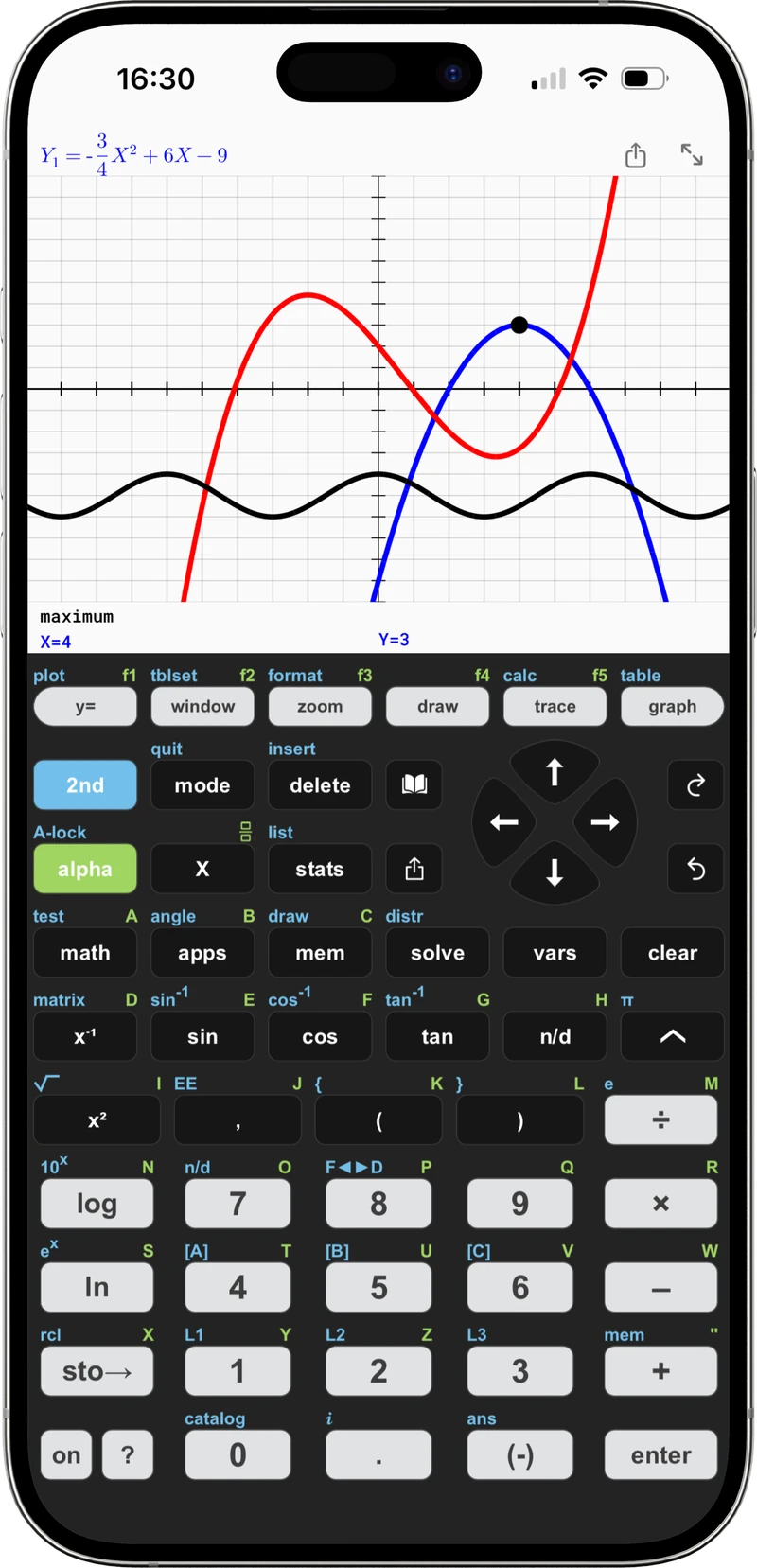
If you left your TI-84 at school (or it's lost, broken, or the batteries are dead), you don't need to wait or buy anything expensive to keep working tonight. Taculator 84 has the same key layout — y=, window, zoom, trace, graph — and the same equation syntax, so everything you already know still applies.
Install the app
Get Taculator 84 from the App Store or Google Play. Free to try, no account needed.
Pick up where you left off
Enter your functions under y= exactly as you would on the handheld, graph, trace, find zeros and intersections, run regressions — no manual needed.
Keep it as your backup
Even after your handheld turns up, the app stays on your phone — which, unlike the calculator, you never forget at school.
For tests: be honest with yourself about the rules
Phones are banned in almost every test setting. Here is what actually works, depending on the situation:
| Situation | Your best move |
|---|---|
| Class test tomorrow | Tell your teacher today. Most schools have loaner handhelds or a classroom set; asking early beats scrambling at the door. |
| SAT / ACT | Phone apps are not permitted. The digital SAT has a graphing calculator built into the Bluebook testing app, and you may bring an approved handheld as well. For the ACT, bring an approved handheld. |
| Calculator lost for good | Ask about school loaners first. A used handheld runs $40–70. For day-to-day work, the app covers everything at a fraction of that — many students use the app daily and borrow a handheld only on test days. |
| Whole class keeps forgetting them | Teachers: put the app on your school's iPad cart — it's completely free for schools, and every student gets a calculator every lesson. See Taculator 84 for schools. |
Back to graphing.
Same keys, same syntax, sharper graphs — on the device that's already in your pocket.